How QR Codes Work: Squares, Data, and Error Correction
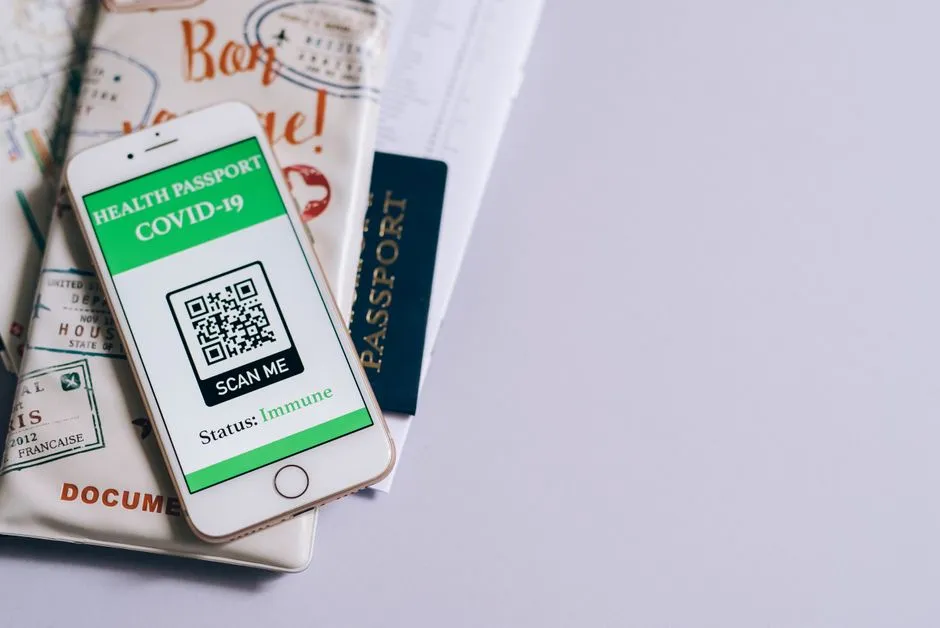
- A QR code is a map of bits with landmarks
- Meet the visible structures
- Versions determine the grid size
- Data is encoded in modes
- Masks prevent scanner-hostile patterns
- Error correction repairs eligible damage
- The quiet zone is part of reliable reading
- What a phone does after scanning
- Static and dynamic codes
- Why a code fails to scan
- Capacity headlines need context
- The complete scan chain
A QR code is a map of bits with landmarks
A QR code stores information in a square grid of dark and light modules. Some modules are structural landmarks that help the scanner find and interpret the symbol; others encode data and error correction.
The reader locates the three large corner patterns, corrects perspective, samples the grid, determines format and version details, reverses the mask pattern, uses Reed–Solomon error correction where possible, and decodes the payload.
That payload might be a URL, plain text, contact information, or application-specific data. The square itself does not open a website. Software decides what to do after decoding.
DENSO WAVE announced QR Code in 1994, according to the inventor's official history. “QR” reflects the development goal of quick response: faster reading than earlier two-dimensional codes.
Meet the visible structures
The three conspicuous nested squares are finder or position-detection patterns. They allow a reader to locate the code, infer orientation, and distinguish it from surrounding print.
Other elements include:
- separators: light modules isolating finder patterns;
- timing patterns: alternating modules that help establish row and column coordinates;
- alignment patterns: additional reference shapes in larger versions to correct distortion;
- format information: error-correction level and selected mask;
- version information in larger symbols;
- a quiet zone: blank margin outside the symbol;
- data and error-correction codewords.
The familiar three corners are not decorative eyes. Covering them and hoping error correction feels artistic today is a poor production plan.
Versions determine the grid size
Standard QR Code Model 2 has versions 1 through 40. DENSO's version guide states that Version 1 is 21×21 modules and Version 40 is 177×177. Each version adds four modules per side.
The relationship is:
side modules = 21 + 4 × (version − 1)
For Version 3:
21 + 4 × 2 = 29 modules per side
More modules create room for more data and error correction, but also demand a larger printed symbol or smaller individual modules. Shrinking modules past what the printer and scanner can resolve trades theoretical capacity for practical failure.
Data is encoded in modes
The standard supports efficient modes for different content, including numeric, alphanumeric, byte, and Kanji data. Encoders can choose modes and sometimes switch modes within one payload.
This is why two generators can create different-looking valid codes for identical text. They may select different modes, versions, error-correction levels, or mask patterns.
The encoder creates a stream containing mode indicators, character counts, data bits, terminators, padding, and error-correction codewords according to the standard. It then places the bits through the available module path while avoiding reserved structures.
You do not need to memorize the placement path to use a QR code. You do need to know that every black square is not an independent letter. The grid is a carefully arranged coded message, not extremely compact graph paper handwriting.
Masks prevent scanner-hostile patterns
Raw data can accidentally produce large same-colour blocks, misleading finder-like shapes, or patterns that are hard to sample. The encoder applies one of several defined mask formulas to data modules.
It evaluates candidate results with penalty rules and selects a suitable mask. Format information tells the reader which mask to reverse.
Masking changes the visible arrangement without changing decoded content. It also helps explain why the same payload can appear in different valid patterns across generator choices.
Error correction repairs eligible damage
QR Code adds Reed–Solomon error-correction codewords. Four levels—L, M, Q, and H—trade capacity for restoration ability. DENSO's error-correction page gives approximate restoration levels of 7, 15, 25, and 30 percent of codewords respectively.
Those percentages are not a promise that any equally sized missing patch will scan. Damage location matters. Destroyed finder patterns, severe blur, distortion, inadequate quiet zone, or too-small modules can prevent the reader from locating or sampling the code before correction even begins.
Higher error correction means more redundancy and less room for user data at the same version. It may push the encoder to a larger version, creating a denser symbol.
Error correction is a seat belt, not permission to print a logo over the steering wheel.
The quiet zone is part of reliable reading
A standard QR Code requires a clear margin four modules wide on every side, according to DENSO's code-area guidance. This quiet zone helps the scanner separate the symbol from nearby text and graphics.
If one module prints at 0.5 mm, the quiet zone should be:
4 × 0.5 mm = 2 mm per side
That margin belongs to the code, even though it contains no payload. Cropping it away to make the graphic look tidier is rather like trimming the runway because no plane parks there. A scanner needs the empty border to recognize where the symbol begins before it can admire anything happening inside.
A Version 3 symbol is 29 modules wide. Including quiet zones adds eight modules total:
(29 + 8) × 0.5 mm = 18.5 mm overall
That calculation addresses geometry, not whether 0.5 mm is adequate for a particular printer, surface, distance, and scanner. Test the real artifact.
What a phone does after scanning
The camera supplies an image. Detection software finds candidate patterns, corrects perspective, and samples modules. The decoder reconstructs and interprets the data.
Then the operating system or app may:
- display text;
- preview a URL;
- offer to add a contact;
- connect to Wi-Fi;
- open another application;
- ask for confirmation.
The last step is where security matters. A valid code can contain a malicious URL just as accurately as a legitimate one. Error correction proves neither identity nor good intentions.
Preview the domain. Be suspicious of unexpected login, payment, download, device-management, or permission requests. A sticker placed over a restaurant menu, parking meter, or parcel label can redirect a trusted physical context to an untrusted destination.
Static and dynamic codes
A static code directly contains its final data, such as a URL. Changing the destination requires printing a new code unless the destination itself redirects.
What marketers call a dynamic QR code usually contains a short URL controlled by a service. That server redirects the visitor to a configurable destination and may record scans.
Why dynamic can help:
- final destination can change;
- short payload can produce a less dense symbol;
- analytics may be available.
Worth knowing:
- the redirect provider becomes a dependency;
- tracking and privacy need disclosure and lawful handling;
- expired subscriptions or domains can break codes;
- control of the redirect account is a security asset.
“Dynamic” describes the service behind the URL. The printed modules are not quietly rearranging themselves after hours.
Why a code fails to scan
Common causes include:
- missing quiet zone;
- insufficient contrast;
- glare on glossy material;
- curved or wrinkled surfaces;
- resampling that makes modules unequal;
- print bleed or blur;
- code too small for distance;
- too much embedded artwork;
- damaged finder patterns;
- camera focus or lighting problems.
DENSO's reading-problems guide specifically warns about distorted modules and graphics intruding on required space.
Export vector artwork or an integer-scaled raster when possible. Do not stretch width and height separately. Print at final size and test on several devices under realistic lighting and angles. Also test the destination; successful decoding followed by a dead page is still a failed user experience.
Capacity headlines need context
DENSO lists maximum capacities up to 7,089 numeric characters or 2,953 bytes for the largest standard version under the applicable lowest-correction conditions. Those are maxima, not a recommended business-card payload.
Capacity changes with version, mode, and correction level. Mixed content can require mode changes. Text encoding affects bytes. A giant dense code may be technically valid and practically unfriendly.
The better question is not “How much can it hold?” but “What is the smallest, most stable payload that meets the job?” A short durable URL often beats an autobiography encoded at the edge of camera patience.
The complete scan chain
The code's landmarks establish position. Timing and alignment establish geometry. Format and version data explain how to interpret the grid. A mask is removed. Reed–Solomon redundancy repairs eligible errors. Data modes turn bits into content. Software decides what action to offer.
For another explanation built from a visible pattern and invisible mechanism, see why the sky is blue. For a system whose boundaries change because authorities change rules, see why time zones zigzag. And for a low-frequency signal whose production remains scientifically lively, read why cats purr.
A QR code is clever, standardized, and robust. It is not trustworthy by virtue of being square.